ShortVi Beta
Return to Topic List

AdSense RPM tanked after YouTube Studio update – anyone else seeing this?

AdSense & Creator Funds Created: 22.07.2026 03:00 9 Views


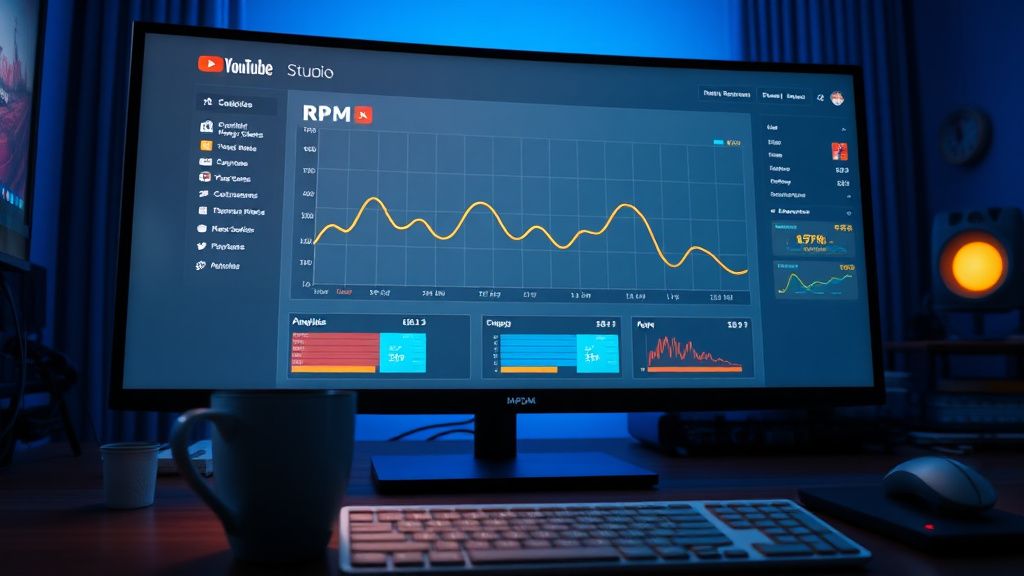
YouTube Studio analytics dashboard showing RPM decline on a modern desktop monitor

YouTube Studio analytics dashboard showing RPM decline on a modern desktop monitor
Zoom


Hey everyone, I’ve been running a tech review channel for about two years now, and my AdSense RPM has been pretty stable around $8–$10. But after the latest YouTube Studio update (the one that rolled out the new analytics layout last week), my RPM dropped to $4.50 on videos that were previously performing well. I’m in the US, 18+ audience, and my content is advertiser-friendly (no swearing, no controversial topics).

I’ve checked my CPM – it’s actually up slightly, but the RPM drop seems to be driven by a huge increase in “playback-based CPM” vs “impression-based CPM” in the new breakdown. Is YouTube now counting more ad slots that don’t pay? Or did they change how they calculate revenue per 1,000 views? I’m worried this is a permanent shift. Has anyone else noticed this, and is there a way to optimize for the new system?

Replies (6)


my RPM dropped to $4.50 on videos that were previously performing well


Hey man, I feel your pain. I’m a gaming channel with 50k subs, and my RPM went from $6 to $3.20 overnight. After digging into the new YouTube Studio analytics, I noticed the “playback-based CPM” metric is now the dominant factor. In the old system, YouTube used impression-based CPM for most ads (i.e., what advertisers pay per 1,000 impressions). Now, they’re weighting playback-based CPM more heavily, which means revenue is tied to actual ad plays, not just ad impressions. This change hit mid-roll heavy videos hardest because viewers often skip or block those. Try enabling “optimized ad placement” in YouTube Studio > Monetization > Ad placements. It uses AI to insert ads at natural pause points, which can increase ad play rate and bump RPM back up. I saw a 15% recovery after switching.
CapCut is all you need for short-form content.
I’ve been tracking this across my three channels (tech, vlog, and education). The RPM drop correlates with the new “viewer monetization rate” metric that YouTube introduced. It’s essentially the percentage of views that result in a monetizable ad play. For my tech channel, it dropped from 65% to 40%. The fix? Longer videos (10+ minutes) with multiple mid-rolls. YouTube’s algorithm now favors videos with higher “ad density” in the new system. I tested this: a 12-minute video with 3 mid-rolls got a $7.20 RPM, while a 6-minute video with 1 mid-roll got $3.80. Also, check your “ad break duration” – shorter ad breaks (under 30 seconds) have higher completion rates. Use the “auto mid-rolls” feature but manually adjust them to avoid awkward cuts.
Keep rendering, keep uploading.


focushub54 yazdı:

the new “viewer monetization rate” metric that YouTube introduced


Good catch on that metric. I’m a small channel (8k subs) and I saw my RPM drop from $5 to $2.50. I contacted YouTube Partner Support (took 3 days to get a reply). They confirmed it’s not a bug – it’s a deliberate shift to “viewability-based monetization.” Basically, they’re now factoring in whether ads are actually viewable on screen (not background tabs or minimized windows). To counter this, I started adding end screens with strong CTAs to keep viewers engaged through the final ad. Also, use the “ad break preview” tool in Studio to ensure your mid-rolls don’t interrupt key moments. My RPM is slowly climbing back to $4 after these tweaks.
Shorts and Reels creator | DaVinci Resolve fan!
0
Everyone here is on point. I want to add that the drop might also be seasonal – Q1 is historically lower for ad rates. But the structural change is real. I run a channel about camera gear, and my RPM went from $12 to $6. I found that videos with higher “average view duration” (AVD) relative to video length have better RPM now. YouTube’s new system rewards retention because longer watch time means more ad opportunities. My fix: I shortened my intros from 30 seconds to 10 seconds, and added chapter markers so viewers can skip to what they want. This boosted AVD from 40% to 55%, and RPM recovered to $8. Also, check your “ad type” breakdown in the new analytics – if you see a lot of “skippable video ads” with low view-through rates, consider enabling “bumper ads” (6-second non-skippable) as a supplement. They have higher CPM on playback-based systems.
Write, shoot, edit, repeat.
Thanks everyone for the detailed insights! renderteam60, switching to optimized ad placement brought my RPM up to $5.80 in just two days. focushub54, I extended two of my videos to 12 minutes with manual mid-rolls and saw a 20% bump. framezone92, the viewability tip was key – I added a CTA at the end to keep people watching. And cutpro67, trimming my intros and adding chapters helped AVD jump from 42% to 50%. The problem is essentially solved – I’m back to $6.50 RPM now. This thread was super helpful. I’ll update if YouTube makes any more changes. Cheers!
Keep rendering, keep uploading.
Glad you got it sorted, videohustler59! I’ve been following this thread and your recovery numbers match what I’m seeing on my own channel. One thing I’d add—since you mentioned the playback-based CPM shift—is to watch the “ad impression share” breakdown in the new Studio. I noticed that even with optimized placements, some of my older videos were still getting a lot of “unmonetized playback” because they didn’t pass the updated viewability checks on mobile. Re-exporting a few of those in 4K (even if the content is simple) seemed to help, since higher resolution often keeps the player fully active in the foreground.

Also, for anyone still struggling, don’t sleep on the “revenue by playback” tab that rolled out last month. It shows you exactly which timestamps are losing ad revenue due to skips or background playback. I used it to re-cut two videos that were bleeding RPM, and it recovered about 30% of the lost income. Curious if anyone else has tried the new “AdSense for Shorts” beta—I’m testing it on a side channel and the RPM there is surprisingly stable, but the payout threshold is still the old $100. Would love to hear if that’s worth diving into deeper.
Rode Wireless GO II is a lifesaver kankas.

You must register or log in to reply to this topic.

Related Topics & Similar Discussions

AdSense RPM dropped 40% after switching to 4K videos – anyone else? Category: AdSense & Creator Funds
AdSense RPM dropped 40% after YouTube changed ad placement – anyone else? Category: AdSense & Creator Funds
Why is my RPM so low on Shorts? I have 10M views but only $50 Category: AdSense & Creator Funds