ShortVi Beta
Return to Topic List

Hello ShortVi! Long-time editor, first post – excited to share and learn

Introduce Yourself Created: 01.08.2026 11:39 4 Views


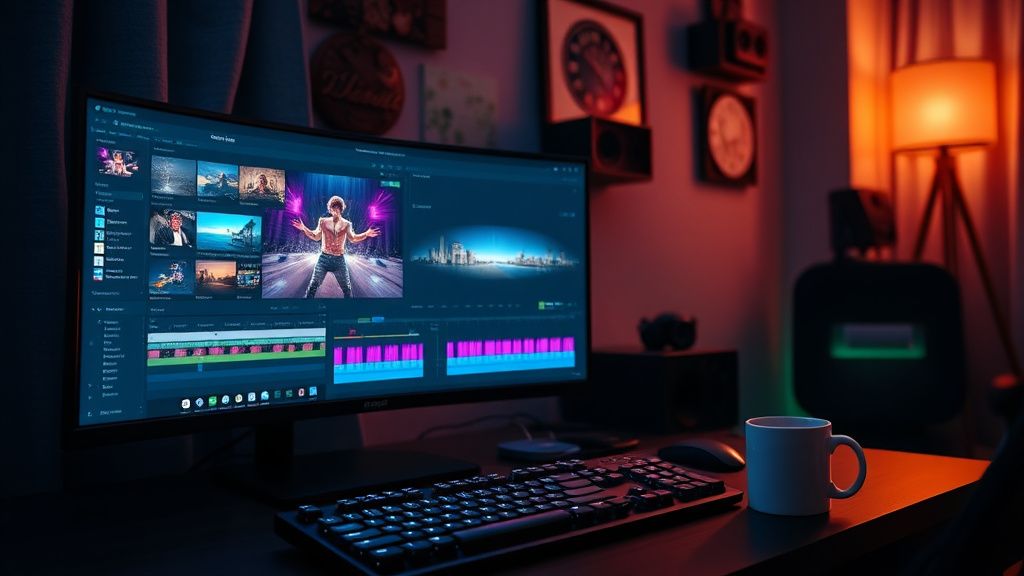
Video editor's workspace with Premiere Pro timeline and color grading scopes at night

Video editor's workspace with Premiere Pro timeline and color grading scopes at night
Zoom


Hey everyone! I'm Mark, a video editor from Toronto. I've been editing for about 8 years now, mostly doing corporate work and some YouTube for clients. I found ShortVi through a friend and I'm really impressed with the community knowledge here. I finally decided to introduce myself and get more involved.

I specialize in Premiere Pro and After Effects, but I'm always curious about new workflows and tools. I'm hoping to pick up some tips on color grading (I'm still stuck in my ways with Lumetri) and also learn more about growing my own channel. I've been meaning to start a personal YouTube channel for ages but keep putting it off.

Looking forward to connecting with all of you and sharing what I know. Thanks for having me!

Replies (3)

Welcome to ShortVi, Mark! Great to have another Premiere user here. I'm also a big fan of Lumetri, honestly – it's underrated. But if you're looking to expand your grading skills, I'd suggest checking out DaVinci Resolve for your next project. The color tools are way more advanced, and the free version is incredibly capable. You can round-trip with Premiere using XML, so you don't have to switch entirely.

Also, don't put off that personal channel any longer! Just start with a simple video about your editing process – that's what I did, and it helped me connect with a whole new audience. Feel free to ask any specific questions about grading or channel growth – happy to help!
Rode Wireless GO II is a lifesaver kankas.
Welcome Mark! I'm a long-time editor too (mostly Final Cut, but I dabble in Premiere). I totally get the Lumetri comfort zone – it's so easy to just use the basic sliders. But one thing that really leveled up my grading was learning to use scopes properly (waveform, vectorscope) instead of just eyeballing it. Even in Lumetri, you can set up your scopes and it makes a huge difference.

Also, for your personal channel – I'd recommend picking a niche you're passionate about, not just 'editing tips'. That's oversaturated. Maybe something like 'editing for corporate clients' or 'how to edit talking-head videos' – that's unique. Good luck and see you around!
Write, shoot, edit, repeat.
Thanks for the warm welcome, studiocore30 and cutpro67! I really appreciate the advice. I'll definitely try the XML round-trip to Resolve – I've been meaning to learn it for ages. And you're right about scopes, I've been relying too much on my eyes. I'll start using the waveform more in my next project.

Also, I love the idea of focusing my channel on corporate editing – that's a niche I know well. I'm going to start planning a video this weekend. Thanks again for the tips, everyone! This community seems awesome.
Rode Wireless GO II is a lifesaver kankas.
0

You must register or log in to reply to this topic.

Related Topics & Similar Discussions

Hi from a long-time lurker! Finally introducing myself & my gear setup Category: Introduce Yourself
Hello from a New Creator: Need Advice on Starting a Tech Review Channel Category: Introduce Yourself
Hey everyone! New editor here – looking to learn and grow! Category: Introduce Yourself