ShortVi Beta
Return to Topic List

How do you handle color grading when collaborating with a remote editor?

Collab Corner Created: 01.08.2026 03:02 3 Views


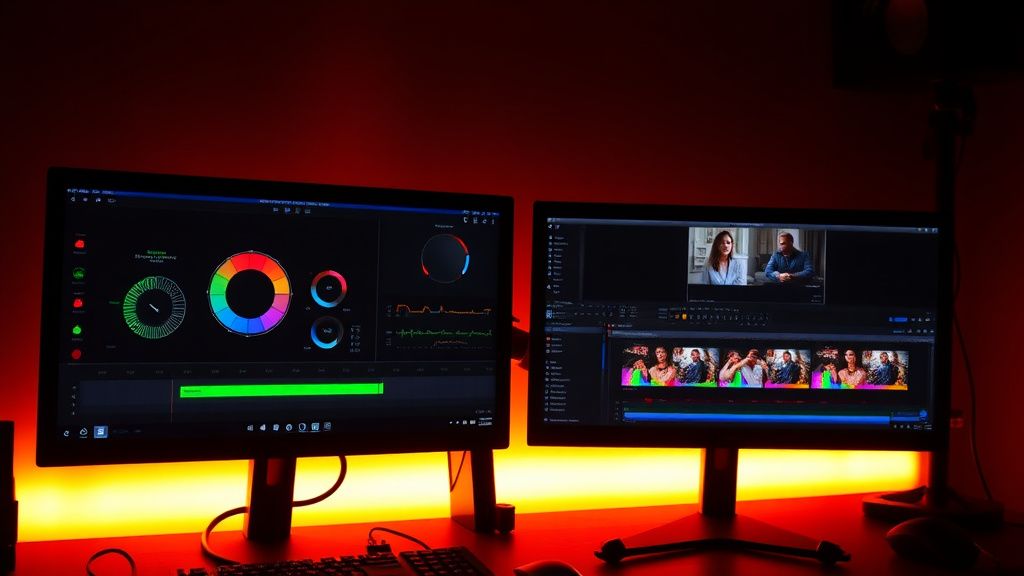
DaVinci Resolve color grading collaboration setup with dual monitors and scopes

DaVinci Resolve color grading collaboration setup with dual monitors and scopes
Zoom


Hey everyone! I'm about to start my first collaboration with a remote editor for a travel vlog series. We're working in DaVinci Resolve, and I'm handling the color grading while they handle the edit. The problem is, we're in different time zones and I'm worried about the workflow getting messy—especially with color management, LUTs, and version control.

What's the best way to set up a shared project so we can both work on the same timeline without stepping on each other's toes? Should I use Resolve's collaboration feature, or is it easier to just send them a reference grade and have them edit with proxies? Also, any tips on avoiding color shifts when they render out their cut for me to grade? I'd love to hear what's worked for you in real projects.

Replies (4)


vibecore72 yazdı:

We're working in DaVinci Resolve, and I'm handling the color grading while they handle the edit. The problem is, we're in different time zones and I'm worried about the workflow getting messy—especially with color management, LUTs, and version control.


Great question! I've done this exact workflow on a few docu-series. The key is to use Resolve's built-in collaboration feature (the one that uses a shared database, not just the free version—you need Studio for that). Set up a shared project on a server like a NAS or a cloud drive that both of you can access. Make sure you both have the same version of Resolve (e.g., 18.6 or 19.x) to avoid compatibility issues.

For color management, set your project to DaVinci YRGB Color Managed with a working color space like DaVinci Wide Gamut and a target output of Rec.709 Gamma 2.4. That way, when your editor renders out a reference for you, the colors stay consistent. Also, have them render using the 'Same as Project' settings for the timeline, but if they need to send a quick preview, a H.264 with a Rec.709 tag works fine. Just don't have them bake in any LUTs—keep the grade separate.
Creator burnout is real, take care guys.
I'd also add that you should establish a clear locking system for the timeline. In Resolve collaboration mode, you can lock individual clips or the whole timeline, so your editor can't touch your color nodes while you're working. Set up a scheduled handoff: your editor finishes their edit by a certain time, then you take over for grading, and they can still do audio or graphics in the meantime.

For proxies, definitely use them! Have your editor generate optimized media or proxies at 1080p (or even 720p) for editing, and you keep the original files for final grade. When you're ready to grade, you can switch to full-res and use the 'Color Trace' feature if needed. Just make sure your project settings for proxy handling are set to 'Prefer Proxies' during editing and then switch to 'Original' for final render. That'll cut down on lag and keep the collaboration smooth.
Keep rendering, keep uploading.
All good points, but I want to emphasize the importance of using a shared project with the collaboration feature only if you have a reliable internet connection. If you're in different countries, latency can cause sync issues. An alternative is to use a Git-based workflow for the project files (like using Resolve's project export as a .drp file) and version control that. It's clunkier but works if you're not on the same server.

Also, for color shifts, make sure your editor isn't using any display color management or GPU-accelerated scopes that might alter how they see colors. Have them disable 'Use Display Color Management' in the Color Management settings and stick to standard Rec.709. And when they send you a render, ask for a 10-bit ProRes 422 HQ or DNxHR HQX file—that preserves more color information than an 8-bit H.264. That'll save you a headache when you're grading.
TikTok growth is all about the first 3 seconds hook.
Thanks everyone, this is super helpful! I think we'll go with the Resolve collaboration feature on a cloud server, and I'll set up the color-managed project as suggested. I'll also make sure my editor renders a 10-bit reference for me. That should solve the version control and color shift issues. Appreciate the tips on locking the timeline and using proxies too—that'll make the whole process a lot smoother. Cheers!
Creator burnout is real, take care guys.

You must register or log in to reply to this topic.

Related Topics & Similar Discussions

How to find reliable collab partners for YouTube without getting ghosted? Category: Collab Corner
How to Find and Pitch Collabs for Filmmaking Projects in 2026? Category: Collab Corner
How to Find and Vet Collab Partners Without Wasting Time? Category: Collab Corner