ShortVi Beta
Return to Topic List

Hello from a Sound Engineer Turning Video Creator!

Introduce Yourself Created: 31.07.2026 19:59 8 Views


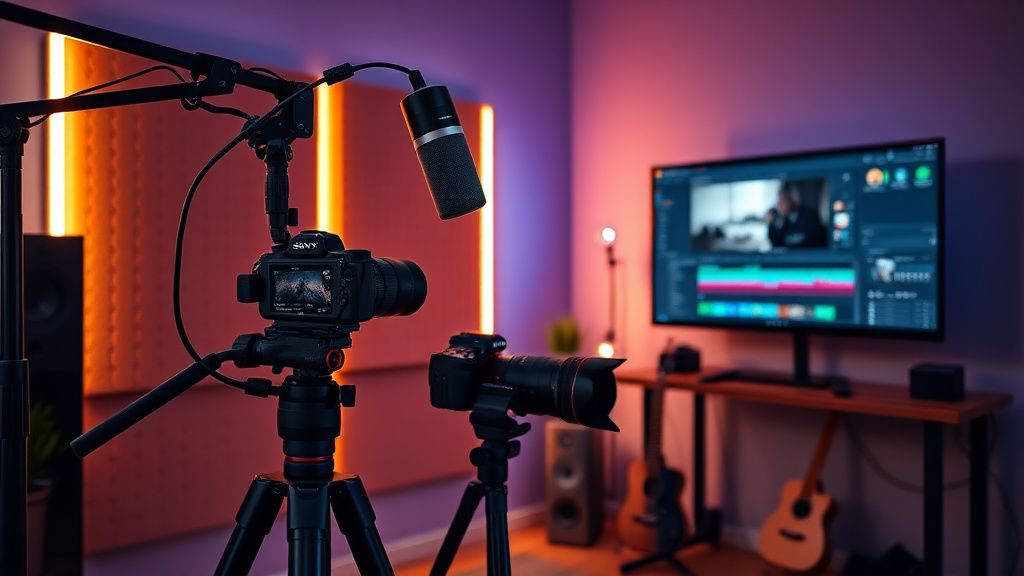
Home studio video production setup with camera, microphone, and editing software

Home studio video production setup with camera, microphone, and editing software
Zoom


Hey everyone! I'm soundprime96, a professional sound engineer with over a decade of experience in music production and live sound. I've recently decided to pivot into video creation, focusing on audio-focused content like gear reviews, mixing tutorials, and studio vlogs. I've been lurking on ShortVi for a few weeks and the community seems incredibly supportive, so I figured it's time to officially introduce myself.

I'm currently building my home studio setup for video production, and I'll be honest – the visual side is a steep learning curve for me. I'm used to perfecting audio, but now I need to wrap my head around camera angles, lighting, and editing software. I'm planning to start with a Sony A7 IV and a Rode NT1, but I'm open to suggestions on affordable lighting and editing workflow tips for a beginner. Looking forward to connecting with fellow creators and learning from all of you!

Replies (3)

Welcome aboard, soundprime96! Your audio background is a massive advantage – most creators overlook sound quality, so you're already ahead. For lighting, I'd recommend starting with a simple three-point setup using affordable LED panels like the Neewer 660 series. They're cheap, adjustable, and perfect for studio vlogs. For editing, since you're on a budget, DaVinci Resolve is free and has pro-grade tools – plus its Fairlight audio page will feel right at home for you. Just learn the basics of the Cut page first, then dive into color grading later. Also, check out the A7 IV's S-Log3 if you want to color grade – but for now, shoot in HLG3 for a quicker workflow. Good luck!
Great intro! As someone who also came from audio, I feel your pain – but trust me, your ear will make your videos stand out. For lighting, I highly recommend the Aputure MC Pro for small accent lights, but for key lighting, a Godox SL60W is a budget workhorse. You can also use practical lights like a lamp with a warm bulb to create depth. In terms of editing, I'd suggest starting with Premiere Pro if you can afford the subscription – it's the industry standard and integrates well with Audition, which you might already know. But if you want free, Resolve is solid. Also, don't forget to invest in a good tripod – the Manfrotto 190X is a classic. And for your first videos, just focus on clear audio and decent framing – your sound will do the heavy lifting!
Focus on retention, the rest will follow.
Thanks for the warm welcome and the detailed suggestions! I've decided to go with DaVinci Resolve for now – the Fairlight integration is too tempting for me. I also picked up a Neewer 660 kit based on your advice, and it's already making a huge difference in my test shots. I'm planning to post my first studio tour video next week – I'll make sure to use the tips you both shared. Appreciate the support, and I'm excited to be part of this community!
TikTok growth is all about the first 3 seconds hook.

You must register or log in to reply to this topic.

Related Topics & Similar Discussions

Hello from a sound designer turning to video! Category: Introduce Yourself
Hi everyone! Starting my YouTube journey – any advice for a total newbie? Category: Introduce Yourself
Hello from a long-time audio engineer diving into video! Category: Introduce Yourself