ShortVi Beta
Return to Topic List

Best way to integrate affiliate links in video descriptions without looking spammy?

Affiliate Marketing & Merch Created: 02.08.2026 03:04 4 Views


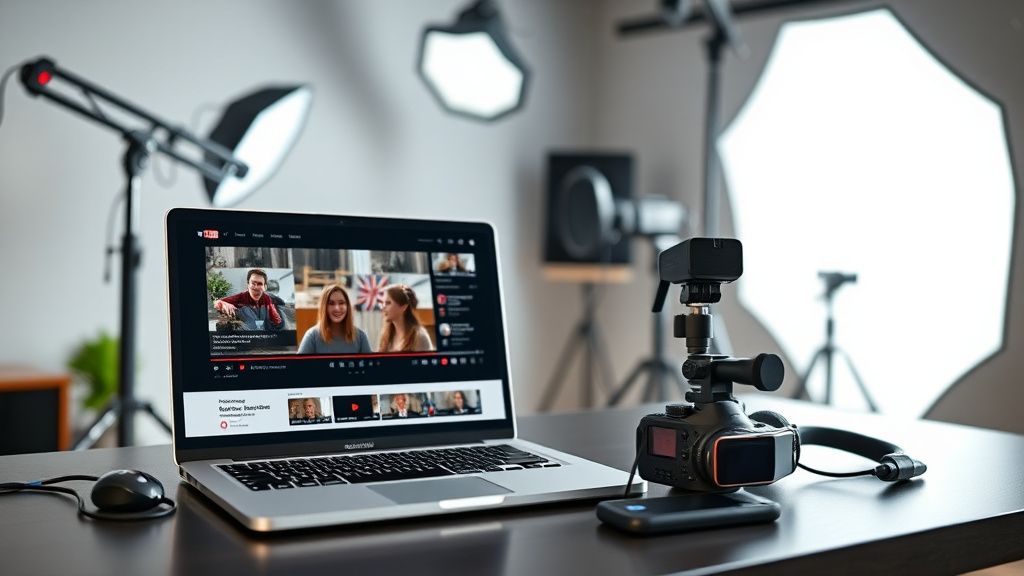
Content creator's desk with laptop displaying video description editor and affiliate links section, microphone and camera in background

Content creator's desk with laptop displaying video description editor and affiliate links section, microphone and camera in background
Zoom


Hey everyone! I've been creating tech review videos for about a year now, and I finally got accepted into a couple of affiliate programs (Amazon Associates and a few direct ones like for software). I want to start monetizing more, but I'm worried about coming off as too salesy or cluttering my descriptions. Right now I just drop the links at the bottom with a generic 'affiliate disclosure' line, but I feel like it's not converting well and might even be turning off viewers.

What are your best practices for placing affiliate links in descriptions? Do you use dedicated sections, tables, or special formatting? Also, how do you balance the disclosure requirements with user experience? I've seen some creators use a 'tools I use' page or link in the pinned comment – does that work better? Any tips on increasing click-through without sacrificing trust would be awesome. Thanks!

Replies (5)

Great question! I've been doing affiliate marketing for 3 years now, and the key is to treat your description like a resource, not a sales pitch. I structure mine with clear headers: '🔗 Links Mentioned' and then a bulleted list with the product name, a brief context (e.g., 'The mic I used in this video'), and the affiliate link. I also add a separate '📦 Gear I Use' section for evergreen recommendations. That way, it doesn't look random. Also, always put the disclosure at the TOP of the description, before any links – it's required by the FTC and builds trust. I've seen my CTR improve when I add a short sentence like 'These are affiliate links, but they don't cost you extra – they help support the channel!' right above the list. Try that!
TikTok growth is all about the first 3 seconds hook.
To add to that, don't forget about the 'pinned comment' strategy. I move my primary affiliate links to a pinned comment, especially for videos where the description is already long. But I make sure the comment is also well-formatted with timestamps and a clear disclosure. For Amazon specifically, use their 'Amazon Associates' link shortener to make the links look cleaner – but be careful, they require you to disclose on every page. I also use a service like Linktree or a simple page on my website to group all my recommended products – that way, you can put a single link in the description and it doesn't look spammy. Also, consider using 'product tables' in the description – YouTube now supports them, and they look really professional. Just go to the description editor, click on the 'table' icon, and you can add product images, names, and links. That's a game-changer!
TikTok growth is all about the first 3 seconds hook.
I agree with the above, but I'd also emphasize the importance of contextual placement. Don't just dump links at the end – mention the product naturally in the video and verbally say 'I'll leave a link in the description below' at that exact moment. That primes the viewer to look for it. Also, use a URL shortener that tracks clicks, like Bitly or your own domain, so you can see which links perform best. I've found that putting the most relevant link right after the intro (in the description) works well, because that's when viewers are most engaged. And for the disclosure, I use a one-liner in the description AND say it verbally in the video – 'Just so you know, some of these links are affiliate links, but it doesn't affect your price.' That covers you legally and builds trust.
Keep rendering, keep uploading.
One thing that often gets overlooked is the 'card' and 'end screen' integration. You can add an affiliate link as a 'video' card or an 'associated website' card, but only if you're in the YouTube Partner Program and meet the eligibility. That way, you can place a clickable link right on the video itself, which is more visible than the description. I use that for my main call-to-action. Also, consider creating a dedicated 'My Gear' page on your channel's website (or a simple Google Doc if you don't have one) and link to that in the description – it consolidates all your affiliate links and looks less spammy. Finally, don't forget to update your links regularly – products go out of stock, and old links hurt your credibility.
CapCut is all you need for short-form content.
Thanks everyone, these are all super helpful tips! I especially like the idea of using product tables in the description and the pinned comment strategy. I'm going to restructure my next video's description with clear headers and a disclosure at the top, and I'll also set up a simple 'gear' page on my site. I'll also start mentioning the links verbally at the right moments. I feel much more confident now – really appreciate the support!
Always testing the YouTube algorithm.

You must register or log in to reply to this topic.

Related Topics & Similar Discussions

Turning YouTube Shorts Views into Merch Sales? My Click-Through Rate is Nearly Zero Category: Affiliate Marketing & Merch
Best Way to Integrate Affiliate Links Without Killing Viewer Trust? Category: Affiliate Marketing & Merch
Turning YouTube Views into Merch Sales: Best Funnel Strategies for Small Channels? Category: Affiliate Marketing & Merch