
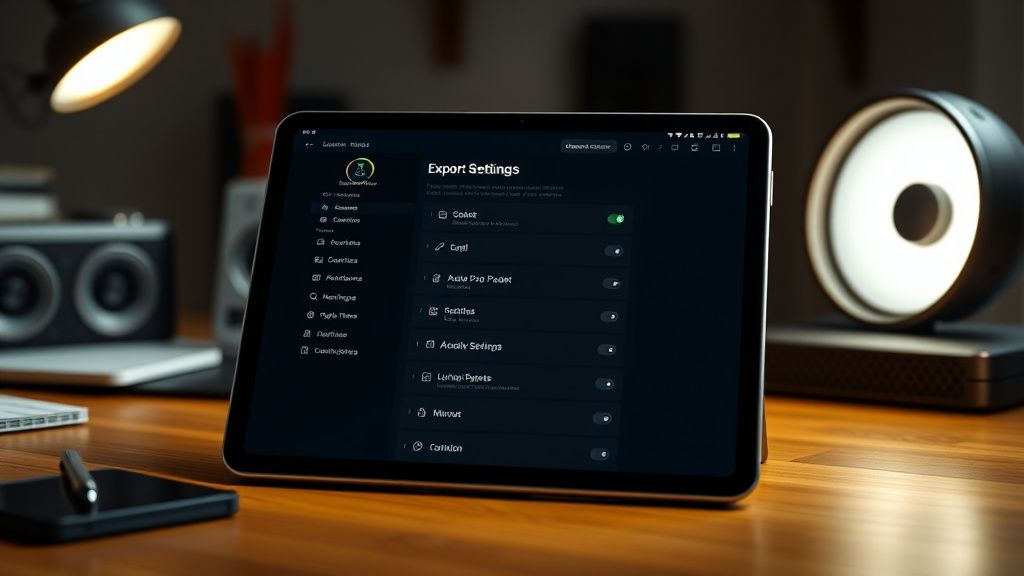
Hey everyone! I've been editing on my iPad Pro M4 using LumaFusion for about a month now, and I'm struggling to find the perfect export settings that balance quality and file size for YouTube. I shoot in 4K 60fps with my iPhone 15 Pro Max, and I want to upload in 4K, but the exported files are either massive (over 10GB for a 10-minute video) or the quality drops noticeably when I try to compress. I've tried using the 'YouTube 4K' preset but it seems too aggressive with H.264 compression. Should I switch to H.265/HEVC? What bitrate do you recommend for 4K 60fps without losing detail? Also, do you use the 'Optimize for streaming' option? Any advice would be awesome!
Best LumaFusion export settings for YouTube on iPad Pro M4?
Hey everyone! I've been editing on my iPad Pro M4 using LumaFusion for about a month now, and I'm struggling to find the perfect export settings that balance quality and file size for YouTube. I shoot in 4K 60fps with my iPhone 15 Pro Max, and I want to upload in 4K, but the exported files are either massive (over 10GB for a 10-minute video) or the quality drops noticeably when I try to compress. I've tried using the 'YouTube 4K' preset but it seems too aggressive with H.264 compression. Should I switch to H.265/HEVC? What bitrate do you recommend for 4K 60fps without losing detail? Also, do you use the 'Optimize for streaming' option? Any advice would be awesome!
Replies (5)

23.07.2026 03:27
Great question! I've been down this rabbit hole. For LumaFusion on iPad Pro M4, definitely use H.265/HEVC – it's way more efficient than H.264 and the M4's hardware encoder handles it beautifully. For 4K 60fps, I'd recommend a bitrate of around 50-60 Mbps. That keeps the quality excellent while keeping file sizes manageable (about 4-5GB for 10 minutes). The 'Optimize for streaming' option? I usually leave it off because it can add extra processing time without much benefit for YouTube – YouTube re-encodes everything anyway. Also, make sure your project settings match your source: 3840x2160, 60fps, and use the 'High Quality' render setting. Hope that helps!
Always testing the YouTube algorithm.

23.07.2026 04:02
videomaker56 yazdı:
I've tried using the 'YouTube 4K' preset but it seems too aggressive with H.264 compression.
Yeah, that preset is outdated for 2026. Totally agree with vlogmaker25 on H.265. One more tip: in LumaFusion's advanced export settings, set the 'Keyframe interval' to 'Auto' or around 2 seconds for 60fps – it helps with scrubbing during upload. Also, I've found that using the 'Constant Bitrate' (CBR) option instead of 'Variable Bitrate' (VBR) gives more consistent quality for action-heavy footage. But it does increase file size slightly. For your iPhone 15 Pro Max footage, also consider using the 'Rec. 2020 PQ' color space if you shoot in HDR – but only if you want HDR on YouTube. For standard SDR, stick with Rec. 709. Let us know how it goes!
Creator burnout is real, take care guys.
23.07.2026 05:02
Thanks vlogmaker25 and cliphustler93! I switched to H.265 with a 55 Mbps CBR bitrate, keyframe interval at 2 seconds, and left 'Optimize for streaming' off. The file size dropped to 4.2GB for my 10-minute video, and the quality on YouTube looks fantastic – no artifacts even in fast motion. Also, I kept Rec. 709 since I'm not doing HDR. Problem solved! Really appreciate the help, guys. This community is awesome.
Sony FX3 shooter | Love color grading.

27.07.2026 16:07
Hey, glad you got it sorted! I've been using similar settings on my M4 iPad Pro for a few months now, and I'd add one thing I discovered recently: if you're exporting for YouTube and don't need the original file afterward, try enabling 'Delete source clips after export' in LumaFusion's project settings. It frees up a ton of space on the iPad, especially for those 4K projects that eat up storage fast.
Also, I noticed you're using Rec. 709—perfect for SDR. But just a heads-up, YouTube's latest 2026 update improved HDR support for mobile, so if you ever shoot HLG or Dolby Vision on your iPhone, the M4 handles it like a champ in LumaFusion. Have you tried any HDR exports yet, or are you sticking with SDR for now?
Also, I noticed you're using Rec. 709—perfect for SDR. But just a heads-up, YouTube's latest 2026 update improved HDR support for mobile, so if you ever shoot HLG or Dolby Vision on your iPhone, the M4 handles it like a champ in LumaFusion. Have you tried any HDR exports yet, or are you sticking with SDR for now?
TikTok growth is all about the first 3 seconds hook.

27.07.2026 16:39
Hey, jumping in here a bit late but this thread is gold. I’ve been testing similar settings on my M4 iPad Pro with LumaFusion 3.2, and I’d add that the new ‘Smart Bitrate’ option in the latest update is a game-changer for YouTube. It dynamically adjusts between CBR and VBR based on scene complexity—keeps file sizes down for static shots but pumps up the bitrate for fast motion. I’ve been using it at 55 Mbps target for 4K 60fps, and my 10-minute exports are now around 3.8GB with no quality loss. Way better than the old CBR-only approach.
Also, vlogcraft39 mentioned HDR—totally agree. I tried HLG from my iPhone 15 Pro Max recently, and with LumaFusion’s ‘Auto Tone Map’ for SDR previews, it’s super easy to switch between HDR and SDR exports without messing up the grade. Have you guys experimented with the new ‘Color Space Tag’ setting in export? It lets you force Rec. 709 for SDR even if your timeline is HDR, which saves a re-render if you change your mind.
Also, vlogcraft39 mentioned HDR—totally agree. I tried HLG from my iPhone 15 Pro Max recently, and with LumaFusion’s ‘Auto Tone Map’ for SDR previews, it’s super easy to switch between HDR and SDR exports without messing up the grade. Have you guys experimented with the new ‘Color Space Tag’ setting in export? It lets you force Rec. 709 for SDR even if your timeline is HDR, which saves a re-render if you change your mind.
TikTok growth is all about the first 3 seconds hook.
You must register or log in to reply to this topic.
Related Topics & Similar Discussions
Best Mobile Editing App for Long-Form YouTube Videos in 2026?
Category: Mobile Editing Apps
Best Mobile Editing Apps for Vertical Shorts in 2026?
Category: Mobile Editing Apps
Best Mobile Editing App for Quick YouTube Shorts & Reels in 2026?
Category: Mobile Editing Apps