
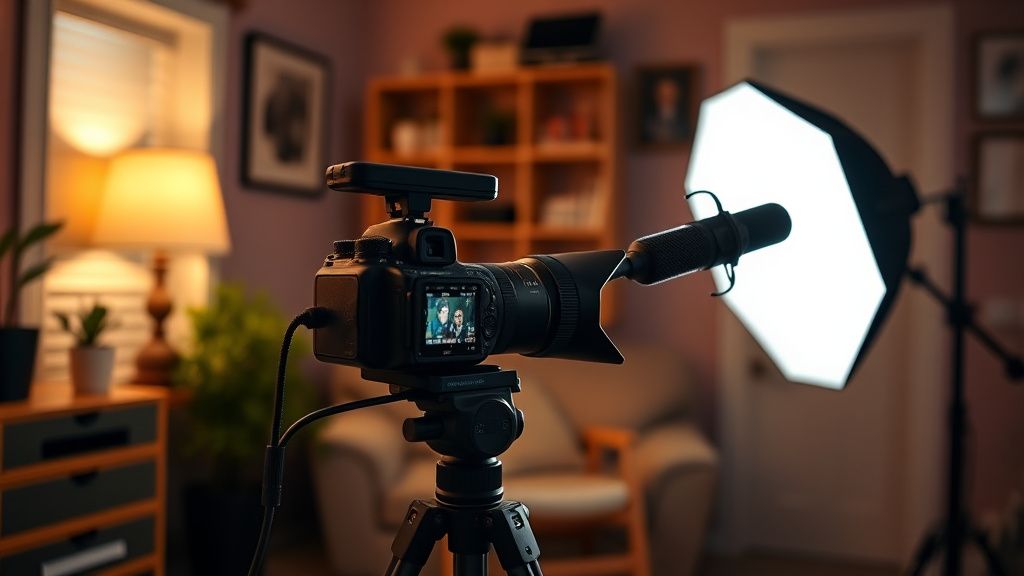
Hey everyone! I'm a solo creator starting to shoot more interview-style videos for my YouTube channel. I currently use a Canon EOS R with a 50mm lens, and I'm shooting indoors with available window light. The problem is that the lighting is inconsistent, and the audio is picking up too much room echo. I'm on a tight budget (around $300-400) and need to buy both lighting and a microphone. What would you recommend for a clean, professional look and clear sound? I'm open to softbox kits, LED panels, or even practical lights. Also, should I prioritize lighting or audio first? Thanks in advance!
Best budget-friendly lighting setup for interview videos with a DSLR?
Hey everyone! I'm a solo creator starting to shoot more interview-style videos for my YouTube channel. I currently use a Canon EOS R with a 50mm lens, and I'm shooting indoors with available window light. The problem is that the lighting is inconsistent, and the audio is picking up too much room echo. I'm on a tight budget (around $300-400) and need to buy both lighting and a microphone. What would you recommend for a clean, professional look and clear sound? I'm open to softbox kits, LED panels, or even practical lights. Also, should I prioritize lighting or audio first? Thanks in advance!
Replies (3)

31.07.2026 19:23
editormaker84 yazdı:
I'm on a tight budget (around $300-400) and need to buy both lighting and a microphone. What would you recommend for a clean, professional look and clear sound?
Great question! First, audio should always be your priority—viewers forgive bad video but not bad audio. For your budget, I'd suggest the Rode VideoMic NTG (~$250) or the Deity D3 Pro (~$150). The NTG has built-in safety channel and USB-C, perfect for a DSLR. For lighting, start with a single Aputure AL-MC (~$90) or a Neewer 660 LED panel with softbox (~$60). Place it at 45 degrees from the subject, about 3 feet away, and use a white foam board as a bounce for fill. That combo will give you a clean look without breaking the bank. Don't forget to treat your room echo—hang blankets or use acoustic foam panels, which are cheap and effective.
Keep rendering, keep uploading.

31.07.2026 19:56
I agree with focushub54 on audio first! For a more professional interview look, consider the Godox SL60W (~$100) with a softbox—it's a continuous light that's bright enough for a key light and can be dimmed. Pair it with a second cheap LED panel for a rim light if budget allows. For audio, the Rode NTG is solid, but if you want a lavaliere for convenience, the Rode Wireless GO II (~$300) is fantastic—it records internally as a backup, which saves you in post. For your Canon EOS R, make sure to adjust your audio levels manually in the menu (set to manual, around -12 dB) to avoid clipping. Also, use a tripod and a 45-degree shutter rule to keep motion smooth. Good luck!
Write, shoot, edit, repeat.

31.07.2026 21:11
Hey everyone, thanks for the detailed advice! I ended up going with the Rode VideoMic NTG and a Neewer 660 panel with a softbox, plus some foam panels for the room. I tested it out yesterday, and the difference is night and day—my audio is clean, and the lighting looks natural. I also grabbed a cheap reflector from Amazon to use as a bounce. I'm really happy with the results, and I've already started filming my next interview. Thanks again for the help!
Rode Wireless GO II is a lifesaver kankas.
You must register or log in to reply to this topic.
Related Topics & Similar Discussions
Best Budget-Friendly Softbox Setup for Interview Videos?
Category: Lighting & Audio
Dialogue audio too quiet in final export – what am I missing in Premiere?
Category: Lighting & Audio
Inconsistent skin tones with Godox SL60W and Aputure MC – need a reliable lighting setup
Category: Lighting & Audio